






Wilford_Br.mble
VIP
-
Joined
-
Last visited
Everything posted by Wilford_Br.mble
-
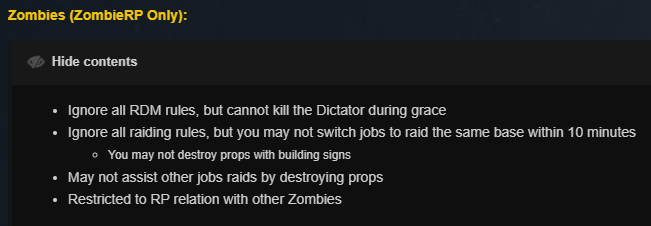
Can zombies destroy roleplay base props?
-
Only question is, will we ever get preserve Easy Precision axis and ballsockets between dupes 😄
-
Ooooh my god, unfreeze after paste is back, this is massive!
-
No adv dupe biometric scanner fix :<
-
AAH this was a glitch, I thought I was going mad 😄 Good stuff
-
works fine?? Wait no I tried in game I totally get it, I have it backwards ignore me I am drinking
-
Lol nooooooooo that doesn't help, topkek
-
Police: /want may no longer can be used with macros My /want {aim} still works, but use arrest_baton doesn't, [Not valid command ect] What gives?
-
Edit made my comment nonsensicle
-
Nah yesterday I was using 'preserve frozen state' to keep them unfrozen and it worked, today since this patch I can 'preserve frozen state' or even 'unfreeze after paste' and everything is frozen no matter what, is that unintentional?
-
'Advdupe now ensures props are frozen' Does anyone know why exactly? A lot of my RP dupes need unfrozen components to work that need to remain unfrozen in the duping process not unfrozen after Were people using this to minge or something? Crash the server? What happened here its such a shame for me personally?


