







ᅟᅟᅟ
VIP
-
Joined
-
Last visited
-
 ᅟᅟᅟ changed their profile photo
 -
Oh trust me, that was the first thing i tried. Unfortunately it doesn't apply to the special HL2 weapons (Crossbow, Grenade, Slams, etc)

-
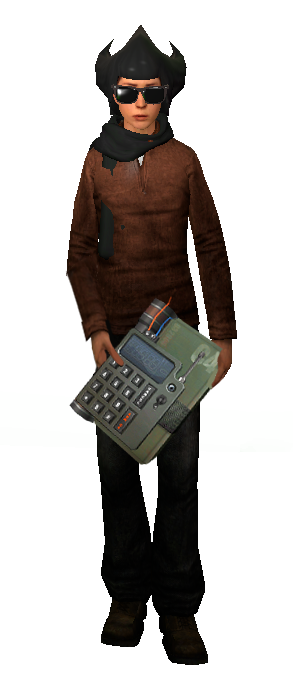
love the new c4 size. perhaps make it 2x bigger in next update as well?
-
having all the sections now hidden in spoilers makes ctrl+f'ing for certain things or quotes quite annoying i must say. perhaps a toggle to open them all?
-
not gonna lie, never saw that being a future issue back when pike had the most money with only 100mil
real niggas still got the first batch of them:
i can't wait to receive my bully magnet in the mail.
slams don't have an ammo you can spawn/buy which was why penguin couldn't add it
PROPFLYING & PUSHING IS NO MORE
.gif.6d56a90cffd4c89a96f58a5e3996a10c.gif) buying the pack completes the achievement/quest. going up to santa will simply prompt you something akin to "you have already completed the christmas 2021 hunt" or something of the sort. short: no
"rest my child"
buying the pack completes the achievement/quest. going up to santa will simply prompt you something akin to "you have already completed the christmas 2021 hunt" or something of the sort. short: no
"rest my child"


.gif.e8c3f87148d772e6b09fcab2051bd85d.gif)


.gif.6d56a90cffd4c89a96f58a5e3996a10c.gif)

Account
Search
Configure browser push notifications
Chrome (Android)
- Tap the lock icon next to the address bar.
- Tap Permissions → Notifications.
- Adjust your preference.
Chrome (Desktop)
- Click the padlock icon in the address bar.
- Select Site settings.
- Find Notifications and adjust your preference.
Safari (iOS 16.4+)
- Ensure the site is installed via Add to Home Screen.
- Open Settings App → Notifications.
- Find your app name and adjust your preference.
Safari (macOS)
- Go to Safari → Preferences.
- Click the Websites tab.
- Select Notifications in the sidebar.
- Find this website and adjust your preference.
Edge (Android)
- Tap the lock icon next to the address bar.
- Tap Permissions.
- Find Notifications and adjust your preference.
Edge (Desktop)
- Click the padlock icon in the address bar.
- Click Permissions for this site.
- Find Notifications and adjust your preference.
Firefox (Android)
- Go to Settings → Site permissions.
- Tap Notifications.
- Find this site in the list and adjust your preference.
Firefox (Desktop)
- Open Firefox Settings.
- Search for Notifications.
- Find this site in the list and adjust your preference.