





Jump to content
View in the app

A better way to browse. Learn more.

Superior Servers Forums

A full-screen app on your home screen with push notifications, badges and more.

To install this app on iOS and iPadOS
  1. Tap the Share icon in Safari
  2. Scroll the menu and tap Add to Home Screen.
  3. Tap Add in the top-right corner.
To install this app on Android
  1. Tap the 3-dot menu (⋮) in the top-right corner of the browser.
  2. Tap Add to Home screen or Install app.
  3. Confirm by tapping Install.

King_Me_Harder

VIP
  • Joined

  • Last visited

  1. Whitetails started following King_Me_Harder
  2. THEY POST A SNAP BACK HAT WHEN I ALREADY BOUGHT THE 40 DOLLAR DAD HAT😭😭😭😭
  3. 40 bucks for a hat, must be for suckers right?
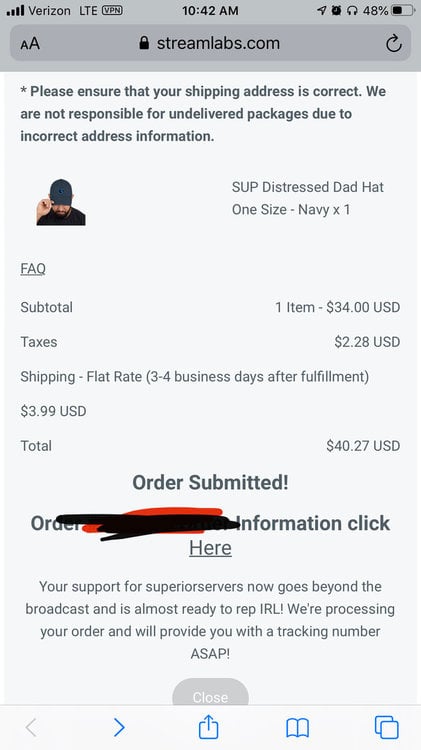
  4. I am taking away your credit card
  5. Thank you, holy shit thank you
  6. Snow. started following King_Me_Harder
  7. Missing. started following King_Me_Harder
  8. I won’t sound like shit anymore?
  9. Corazo started following King_Me_Harder
  10. Voidacity started following King_Me_Harder
  11. YAYAYAYAYAYAYAYAYAY oh well c18 be inactive now -_- ah who cares SUNDOWN BACK
  12. Autumn Rosokos started following King_Me_Harder
  13. Matthew Santa started following King_Me_Harder
  14. King_Me_Harder changed their profile photo
  15. Payroll started following King_Me_Harder
  16. SONVA BITCH but everything else is aight.
  17. Bruh imagine trying to be active
  18. King_Me_Harder started following Brent Floyd
  19. Julz started following King_Me_Harder
  20. Also forgot about breaking the servers owo

Configure browser push notifications

Chrome (Android)
  1. Tap the lock icon next to the address bar.
  2. Tap Permissions → Notifications.
  3. Adjust your preference.
Chrome (Desktop)
  1. Click the padlock icon in the address bar.
  2. Select Site settings.
  3. Find Notifications and adjust your preference.