Jump to content
View in the app

A better way to browse. Learn more.

Superior Servers Forums

A full-screen app on your home screen with push notifications, badges and more.

To install this app on iOS and iPadOS
  1. Tap the Share icon in Safari
  2. Scroll the menu and tap Add to Home Screen.
  3. Tap Add in the top-right corner.
To install this app on Android
  1. Tap the 3-dot menu (⋮) in the top-right corner of the browser.
  2. Tap Add to Home screen or Install app.
  3. Confirm by tapping Install.

monkeyy

VIP
  • Joined

  • Last visited

Everything posted by monkeyy

  1. credits how much 150?
  2. fIX tHE MILK ITS WATER NO BUFS HELP
  3. TIME TO BURN DOWN THE PD LETS GOO
  4. your wish has not been granted. constantly 60 ping lolol
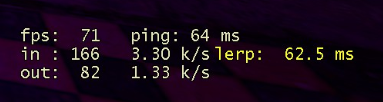
  5. POGGERS POGGERS POGGERS POGGERS POGGERS POGGERS
  6. smh i dont want to FARM xms
  7. oH My gOd
  8. AMERICA FUCK YEAH
  9. oh bet lemme join in
  10. MURICA VAPE
  11. pog
  12. dear god...

Configure browser push notifications

Chrome (Android)
  1. Tap the lock icon next to the address bar.
  2. Tap Permissions → Notifications.
  3. Adjust your preference.
Chrome (Desktop)
  1. Click the padlock icon in the address bar.
  2. Select Site settings.
  3. Find Notifications and adjust your preference.