







Happy | Hannerz
VIP
-
Joined
-
Last visited
Everything posted by Happy | Hannerz
-
 -support AI ART
 -
*added Jocasta Jedi class. nice update aswell 😜
-
POG
-
Time to purge the Dark RP Nerds, Convert them into Marxists
-
pog
-
couldnt have said it better
POG
poggers 3RD
DARK RP HAS CLAIMED SWRP
My only question. why do you need a reminder to keep door closed
I See scott post update then realise its MillRP 😞
@TylerK7 It is done
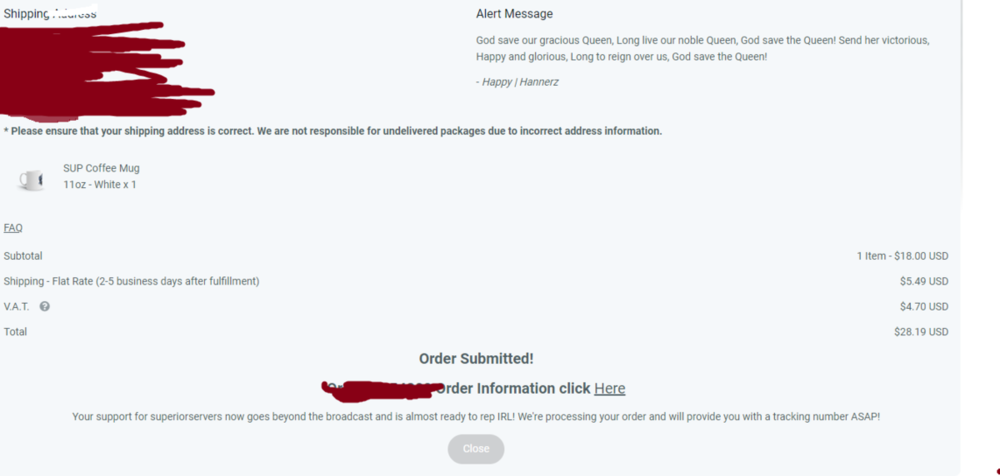 @PinnyX I Want this as a mouse pad
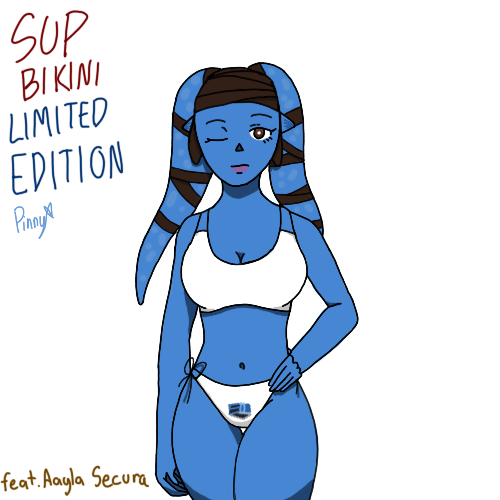 If i wasnt from the UK id cop a mouse pad but
 WOW 20% off how is this the first time I have heard or seen this news. ITS ABSOLUTELY AMAINZING VALUE I SAY YOU BUY ONE YOU GET 1 FREE For real tho nice update
Will the battlepass items just be for the guns or is they some for Jedi? Maybe at max rank we get a saber hilt
Third pog
WOW 20% off how is this the first time I have heard or seen this news. ITS ABSOLUTELY AMAINZING VALUE I SAY YOU BUY ONE YOU GET 1 FREE For real tho nice update
Will the battlepass items just be for the guns or is they some for Jedi? Maybe at max rank we get a saber hilt
Third pog


Account
Search
Configure browser push notifications
Chrome (Android)
- Tap the lock icon next to the address bar.
- Tap Permissions → Notifications.
- Adjust your preference.
Chrome (Desktop)
- Click the padlock icon in the address bar.
- Select Site settings.
- Find Notifications and adjust your preference.
Safari (iOS 16.4+)
- Ensure the site is installed via Add to Home Screen.
- Open Settings App → Notifications.
- Find your app name and adjust your preference.
Safari (macOS)
- Go to Safari → Preferences.
- Click the Websites tab.
- Select Notifications in the sidebar.
- Find this website and adjust your preference.
Edge (Android)
- Tap the lock icon next to the address bar.
- Tap Permissions.
- Find Notifications and adjust your preference.
Edge (Desktop)
- Click the padlock icon in the address bar.
- Click Permissions for this site.
- Find Notifications and adjust your preference.
Firefox (Android)
- Go to Settings → Site permissions.
- Tap Notifications.
- Find this site in the list and adjust your preference.
Firefox (Desktop)
- Open Firefox Settings.
- Search for Notifications.
- Find this site in the list and adjust your preference.