Jump to content
View in the app

A better way to browse. Learn more.

Superior Servers Forums

A full-screen app on your home screen with push notifications, badges and more.

To install this app on iOS and iPadOS
  1. Tap the Share icon in Safari
  2. Scroll the menu and tap Add to Home Screen.
  3. Tap Add in the top-right corner.
To install this app on Android
  1. Tap the 3-dot menu (⋮) in the top-right corner of the browser.
  2. Tap Add to Home screen or Install app.
  3. Confirm by tapping Install.

Xyro

VIP
  • Joined

  • Last visited

  1. Saoirse started following Xyro
  2. Xyro started following The Spartan
  3. Xyro started following Eric
  4. Zyrow started following Xyro
  5. Xyro started following Zyrow
  6. Xyro changed their profile photo
  7. Corazo started following Xyro
  8. sogr started following Xyro
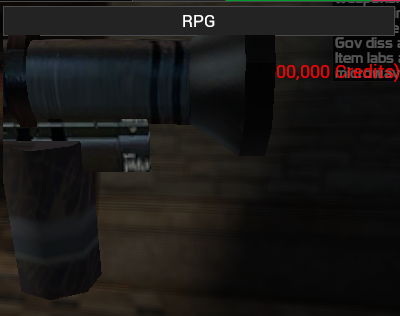
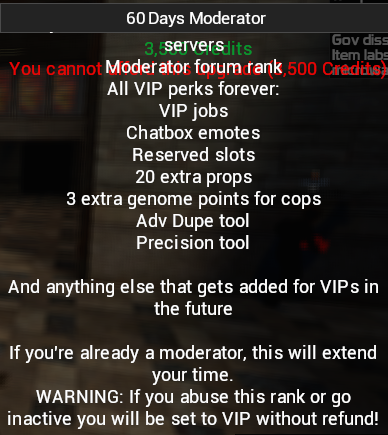
  9. Really nice update. One thing that needs fixing though is the scaling at some items of the shop, example:
  10. Hub started following Xyro
  11. JaaDu SuperiorServers.co started following Xyro
  12. Danny Reinheld started following Xyro
  13. That's a pretty nice update! Thanks.
  14. Nice update! Heil xyro
  15. Damnnn finally. Good update
  16. Cant wait to play it! ?
  17. I like the new old design too. Some old functions are back now which I missed, some old functions that I didn't miss are gone, so thats nice.
  18. nice update !
  19. Finally we can hire again! Great update :)
  20. Yeah nice update :)
  21. Thanks for this Birthday Gift, penguin
  22. Good update
  23. Thank you for your awesome contribution to superiorservers.
  24. If you did /goto xyrogod before the update, logs would show something like hashslingingslasher(STEAM_0:1:) ran goto" Now it shows hashslingingslasher(STEAM_0:1:) ran goto xyrogod"
  25. Nice update, good work fixing those nasty bugs :)

Configure browser push notifications

Chrome (Android)
  1. Tap the lock icon next to the address bar.
  2. Tap Permissions → Notifications.
  3. Adjust your preference.
Chrome (Desktop)
  1. Click the padlock icon in the address bar.
  2. Select Site settings.
  3. Find Notifications and adjust your preference.