







Hatch
VIP
-
Joined
-
Last visited
Everything posted by Hatch
-
 Is there a way to make it so that the side panel for popular posts isn’t so fucking massive? It makes the posts quite small. This is what it looks like on my iPad. The drop down arrow on the box doesn’t reduce the amount of space wasted either.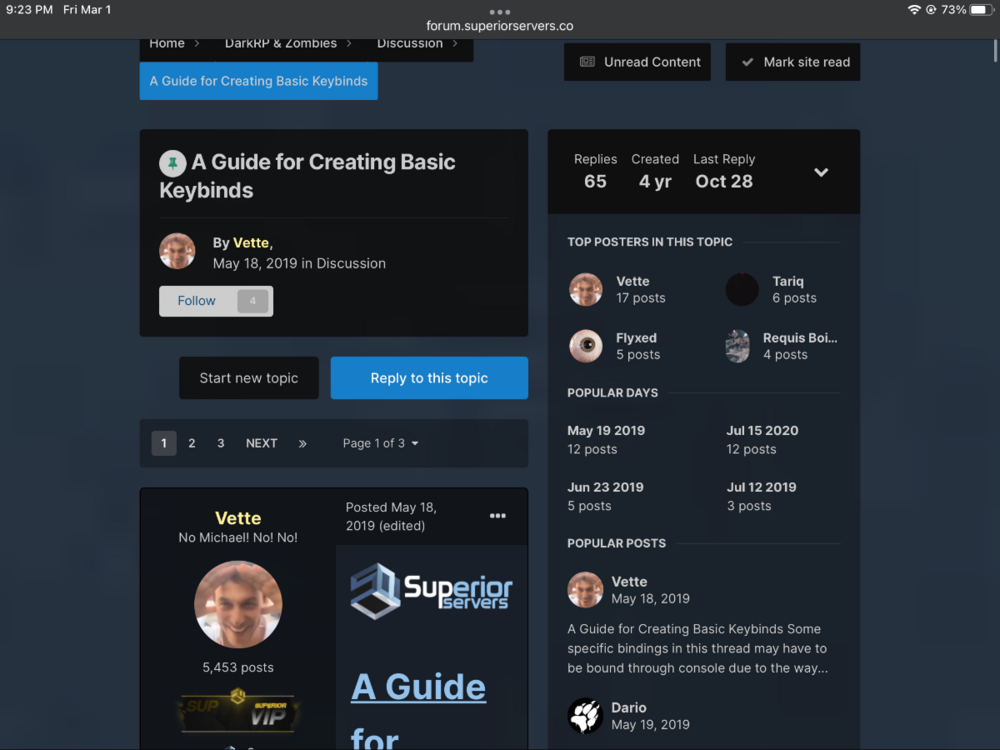
-
Thank you penguin, very cool.
-
Thank you penguin, very cool.
-
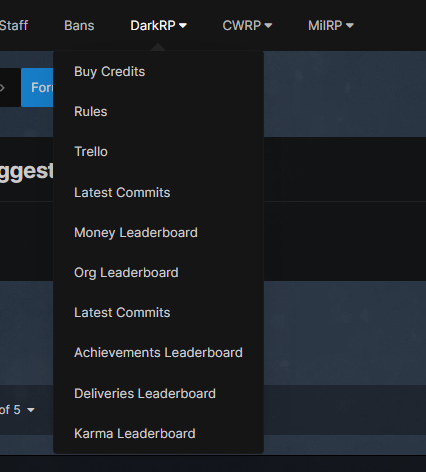
CW Commits are located under the DarkRP tab.
-
-
-
That’s what I said. Epic update, thanks Penguin.
-
Thank you Scott, very cool.
-
go ahead and file a bug report then, lmao.
-
It’s an old screenshot, niggas a troll. Peak his last connected time.
-
bro this model is dookie
-
Thank you Penguin, very cool.
Thank you Scott, very cool.
Thank you Scott, very cool.
Thank you Scott, very cool.
Thank you Penguin, very cool.
 Thank you Scott. Very cool.
Thank you Penguin, very cool.
Thank you Scott. Very cool.
Thank you Penguin, very cool.


Account
Search
Configure browser push notifications
Chrome (Android)
- Tap the lock icon next to the address bar.
- Tap Permissions → Notifications.
- Adjust your preference.
Chrome (Desktop)
- Click the padlock icon in the address bar.
- Select Site settings.
- Find Notifications and adjust your preference.
Safari (iOS 16.4+)
- Ensure the site is installed via Add to Home Screen.
- Open Settings App → Notifications.
- Find your app name and adjust your preference.
Safari (macOS)
- Go to Safari → Preferences.
- Click the Websites tab.
- Select Notifications in the sidebar.
- Find this website and adjust your preference.
Edge (Android)
- Tap the lock icon next to the address bar.
- Tap Permissions.
- Find Notifications and adjust your preference.
Edge (Desktop)
- Click the padlock icon in the address bar.
- Click Permissions for this site.
- Find Notifications and adjust your preference.
Firefox (Android)
- Go to Settings → Site permissions.
- Tap Notifications.
- Find this site in the list and adjust your preference.
Firefox (Desktop)
- Open Firefox Settings.
- Search for Notifications.
- Find this site in the list and adjust your preference.