







Ringus
VIP
-
Joined
-
Last visited
Everything posted by Ringus
-
 Big Brain Tech Thanks for update Scott it's super fun.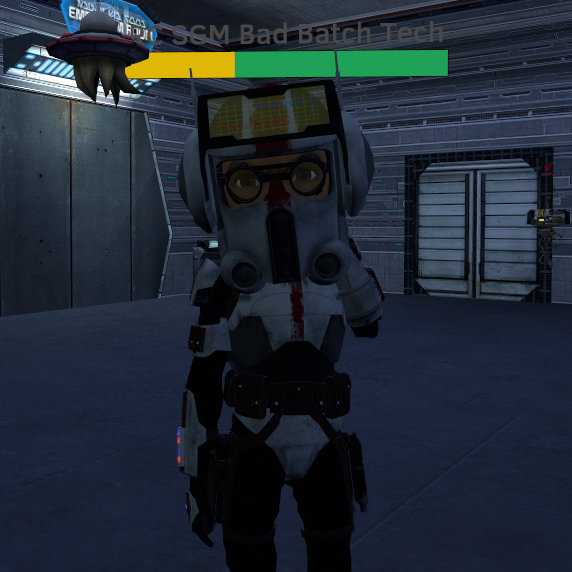
-
-
This is for DRP... Also SWRP isn't getting cosmetics until later as @Scott is working on cross-battalion intergration for stuff like companies, squads, units, Battalion Jedi and Named Jedi
-
Thanks bby, another good update
-
@Scott Wait does the officer+ only allowed to press naval buttons mean that P03-OCDT can't use those buttons? Cause if so I mean like what happens if an event Naval/ solo naval needs to use them and they are below Ensign???? Crew and Crew APPR I can understand as well as anyone else but the other naval.... Other than that great update
-
Yeah same as greggo It still hasnt set me as Admin, Ive restarted TS and everything
-
Yiewwwwwwww Good shit scoot
-
I'll take the ratings as a no lmao
-
Well I mean Signatures aren't really cancerous, surely you have a way to remove any cancerous Signatures people put up...
-
Nice update!
-
Also Scott another thing are Signatures coming back? Plz tell me they are
-
Alright so here is my 100%, no bullshit ball-gargling full opinion about the new forums IN COMPARISON to the old forums. This is also a personal opinion and I know things are still W.I.P... Pros I like the recent topics sort of slider thing on the index page I like the way things are organised I like the no tolerance for shitposting Shoutbox seems neater On a big screen, the Forums look amazing The updated look is very good Image Uploading and images in general Video/Link Embedding looks good Once you get your head around it colouring is quite expansive and better than old forums Server List is better New Ratings are good These forums are actually super fast and have amazing load times, that's actually aplaudable gj Cons I miss my snip and Image I can't set a custom group title or whatever it was called The formatting for posts is awful... sorry but it's fucking shit. The way the old forums did it was perfectly fine I can't see when people read my messages I've sent via chat I can't subscribe to a singular post unsnipped Horiziontal Lines don't work for me on iOS smh The notification sounds and how they can't be turned down, only turned on and off. No Staff count list (Yeah I know this is being worked on) No general discussion for DRP and/or CWRP... instead now I need to name my posts as [CWRP] (enter title) Colouring is hard to get your head around iOS view is a clusterfuck and as a primarily mobile user I wanna kms Those are what I find to be the pros and cons of these new forums, I will admit although the change is nice and I appreciate what you guys have done I find it to be a bit unnecessary and rushed. The change from BBCode to Markdown (I believe you said it was) I don't get, but I am sure you had your reasons. I feel like if you changed the template of the old forums it would've saved a lot more time and it would've better and saved a lot of time (and my forum posts and reputation). Maybe in time it will end out better than the original forums. It's not bad, but it's not as good as what my perception of Superior Servers products standard should be at either. I may be the only person that feels this way, or many others may feel this way. You may care about my opinion or not, but that's what I think about these forums as of now.
-
Goodbye old forums, hello new forums. I will indeed miss all the cancer, autism and shitposting the old forums had very much however.
