






.gif.1f365b4a00a6b98d3c5357f8cac30002.gif)
Living Legend
VIP
-
Joined
-
Last visited
Everything posted by Living Legend
-
.thumb.gif.cff3559302e95c6ddcf6f34cf412bbdb.gif) This is just me, but i would like to see the staff confidential stuff at the very top over community. It's weird having to scroll all the way down just to see the staff or DA+ stuff. This will be a nice quick change for staff peeps when they need to access their stuff. Staff threads will go above the community category: This is how the old forums had it, so would be nice to still have it.
This is just me, but i would like to see the staff confidential stuff at the very top over community. It's weird having to scroll all the way down just to see the staff or DA+ stuff. This will be a nice quick change for staff peeps when they need to access their stuff. Staff threads will go above the community category: This is how the old forums had it, so would be nice to still have it.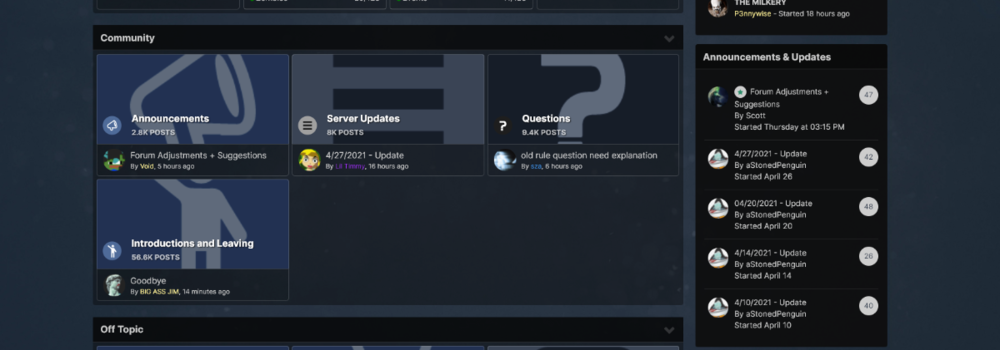
-
908th on top boys!!!! 😈 Wartime 😈
-
Finally those poor CRs will no longer be taken by allah during events. CR lives matter 🙏
-
Our models let's gooooooooooo!!!!!!
.thumb.gif.cff3559302e95c6ddcf6f34cf412bbdb.gif)
