Jump to content
View in the app

A better way to browse. Learn more.

Superior Servers Forums

A full-screen app on your home screen with push notifications, badges and more.

To install this app on iOS and iPadOS
  1. Tap the Share icon in Safari
  2. Scroll the menu and tap Add to Home Screen.
  3. Tap Add in the top-right corner.
To install this app on Android
  1. Tap the 3-dot menu (โ‹ฎ) in the top-right corner of the browser.
  2. Tap Add to Home screen or Install app.
  3. Confirm by tapping Install.

modern

VIP
  • Joined

  • Last visited

  1. gorilla78 started following modern
  2. this gotta be the weakest council introduction i have ever seen... ๐Ÿ˜ญ
  3. should just turn club penguin in to a whole server owned casino at this point
  4. modern changed their profile photo
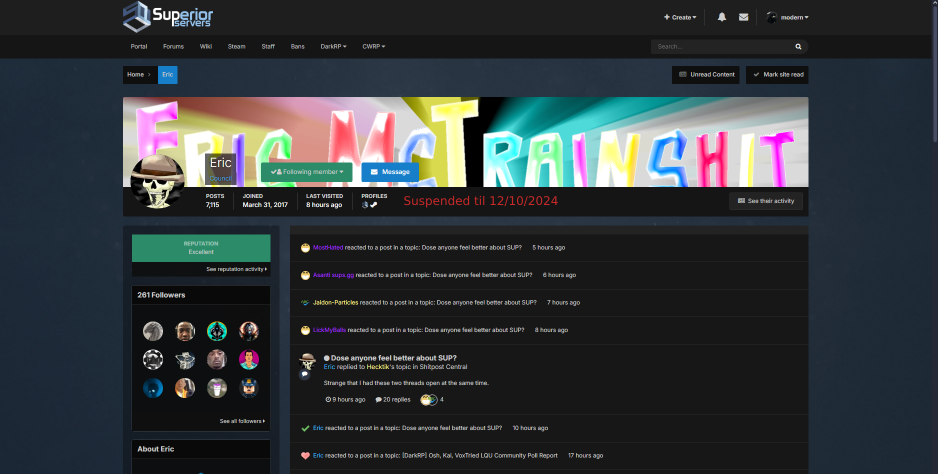
  5. the same reason the public has info to server bans, it would be nice to know if someone is forum banned or if they've just quit entirely (or died ๐Ÿ’€)
  6. not sure if this has been suggested, but is it possible to have a new tab added for forum suspensions and or a way to show if someone is suspended from the forums by viewing their profile
  7. modern started following ryderr
  8. modern started following K Y S
  9. modern started following mikey
  10. mikey started following modern
  11. Eric started following modern
  12. modern started following king.
  13. modern started following Saoirse
  14. put me back in the slammer!
  15. All I want for Christmas is @Vladimir to be Council again!
  16. Shadow removal but no @Sh4do removal AND @Vladimir still isnโ€™t council ๐Ÿ˜”
  17. Only thing that spooks me about this update is @Vladimir isnโ€™t council still ๐Ÿ˜”
  18. Another update where @Vladimirโ€™s not Council ๐Ÿ˜”๐Ÿ˜”๐Ÿ˜”๐Ÿ˜”
  19. When @Vladimir council update?? ๐Ÿ˜ก
  20. When @Vladimir council update ๐Ÿ˜ก๐Ÿ˜ก๐Ÿ˜ก๐Ÿ˜ก
  21. ๐Ÿ˜ญ๐Ÿ˜ญ
  22. Were roulettes fixed in this update?
  23. So geekโ€™d up youโ€™d think itโ€™s cap ๐Ÿ˜ตโ€๐Ÿ’ซ

Configure browser push notifications

Chrome (Android)
  1. Tap the lock icon next to the address bar.
  2. Tap Permissions โ†’ Notifications.
  3. Adjust your preference.
Chrome (Desktop)
  1. Click the padlock icon in the address bar.
  2. Select Site settings.
  3. Find Notifications and adjust your preference.