







sza
VIP
-
Joined
-
Last visited
Everything posted by sza
-
 i put that in the trello bitch
 -
add capital "L" emote and separate the emote/mention notifications like it used to be
-
-
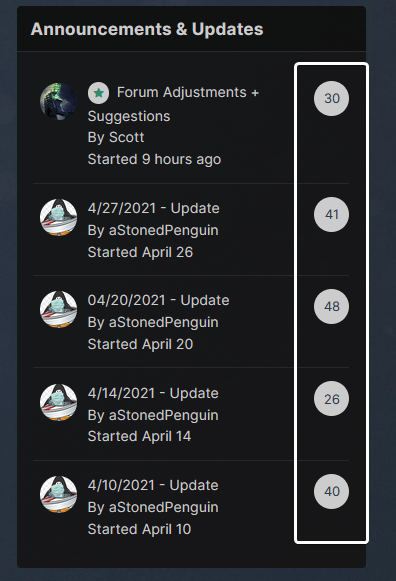
The numericals in the "# of Replies" circles are a little bit hard to see at least on my monitor. Penguin said he would increase the brightness but it would also be nice if the numbers were bolded maybe
-
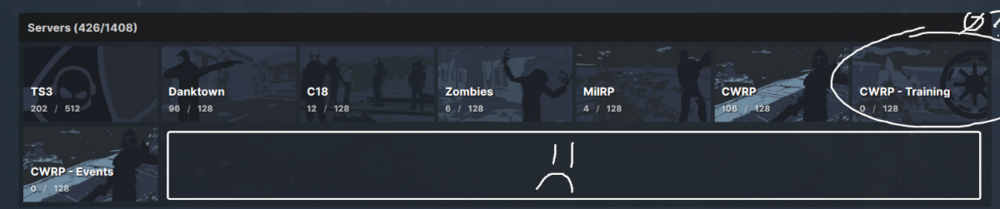
yeet the CWRP training server so this big ass space doesn't look so odd? alternatively, reduce the HxW of the overall box so that the 8th box can fit then rebound by boosting the font size of the text?
-
When resizing the chatbox with the dotted arrow in the bottom right, it does not save its position upon refreshing the page. I want to see more than 8 lines of chat.
-
thats pretty cool
very awesome scotty boi
issa bug
after slappin some dudes, that weapon is thx for update cuhz
yo thx
are snowballs assault
we salute you RM thank you for the years of stims
those mortars are dope
when will a stat track Z6 be added to the dumpster diving RNG
You can try the methods in this thread, and if they don't work, pray your game randomly decides to download the content when you connect to the server.
150 winners?? you are getting bold with these numbers now


Account
Search
Configure browser push notifications
Chrome (Android)
- Tap the lock icon next to the address bar.
- Tap Permissions → Notifications.
- Adjust your preference.
Chrome (Desktop)
- Click the padlock icon in the address bar.
- Select Site settings.
- Find Notifications and adjust your preference.
Safari (iOS 16.4+)
- Ensure the site is installed via Add to Home Screen.
- Open Settings App → Notifications.
- Find your app name and adjust your preference.
Safari (macOS)
- Go to Safari → Preferences.
- Click the Websites tab.
- Select Notifications in the sidebar.
- Find this website and adjust your preference.
Edge (Android)
- Tap the lock icon next to the address bar.
- Tap Permissions.
- Find Notifications and adjust your preference.
Edge (Desktop)
- Click the padlock icon in the address bar.
- Click Permissions for this site.
- Find Notifications and adjust your preference.
Firefox (Android)
- Go to Settings → Site permissions.
- Tap Notifications.
- Find this site in the list and adjust your preference.
Firefox (Desktop)
- Open Firefox Settings.
- Search for Notifications.
- Find this site in the list and adjust your preference.