Jump to content
View in the app

A better way to browse. Learn more.

Superior Servers Forums

A full-screen app on your home screen with push notifications, badges and more.

To install this app on iOS and iPadOS
  1. Tap the Share icon in Safari
  2. Scroll the menu and tap Add to Home Screen.
  3. Tap Add in the top-right corner.
To install this app on Android
  1. Tap the 3-dot menu (⋮) in the top-right corner of the browser.
  2. Tap Add to Home screen or Install app.
  3. Confirm by tapping Install.

Karo

VIP
  • Joined

  • Last visited

  1. Karo replied to aStonedPenguin's topic in Announcements
    Yall do this shit every year just to end up banning those same people lol
  2. Karo changed their profile photo
  3. Eric started following Karo
  4. Saoirse started following Karo
  5. First
  6. Karo started following Money
  7. Money started following Karo
  8. Matthew Santa started following Karo
  9. Karo started following Matthew Santa
  10. no unfortunately your opinion is invalid.
  11. Karo started following Brent Floyd
  12. Yes very hot
  13. Karo started following kankan
  14. kankan started following Karo
  15. Still doesn't seem to be fixed? or is this client side?
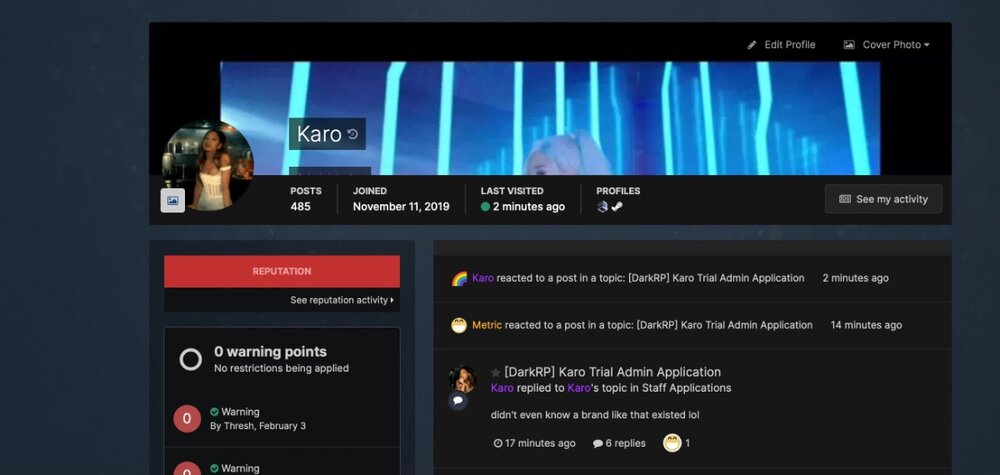
  16. The rank can get cut off on depending on the websites mood. Don't know what's going on. I checked different profiles to see if Gif's or Ranks were causing it but doesn't seem like that's the reason.
  17. damn, you gon take me to dinner first?
  18. very fuckin smart, sound fair as fuck, aslo the part where you can only be revived once, smart job, keep it coming man.
  19. seems like it was mainly on the suggestion from koala. seems good.
  20. sexy update
  21. We get browser updates but no server updates, i cry.

Configure browser push notifications

Chrome (Android)
  1. Tap the lock icon next to the address bar.
  2. Tap Permissions → Notifications.
  3. Adjust your preference.
Chrome (Desktop)
  1. Click the padlock icon in the address bar.
  2. Select Site settings.
  3. Find Notifications and adjust your preference.